 milmil
macOS App
Install the native macOS client with Homebrew or the DMG, and connect it to your milmil server.
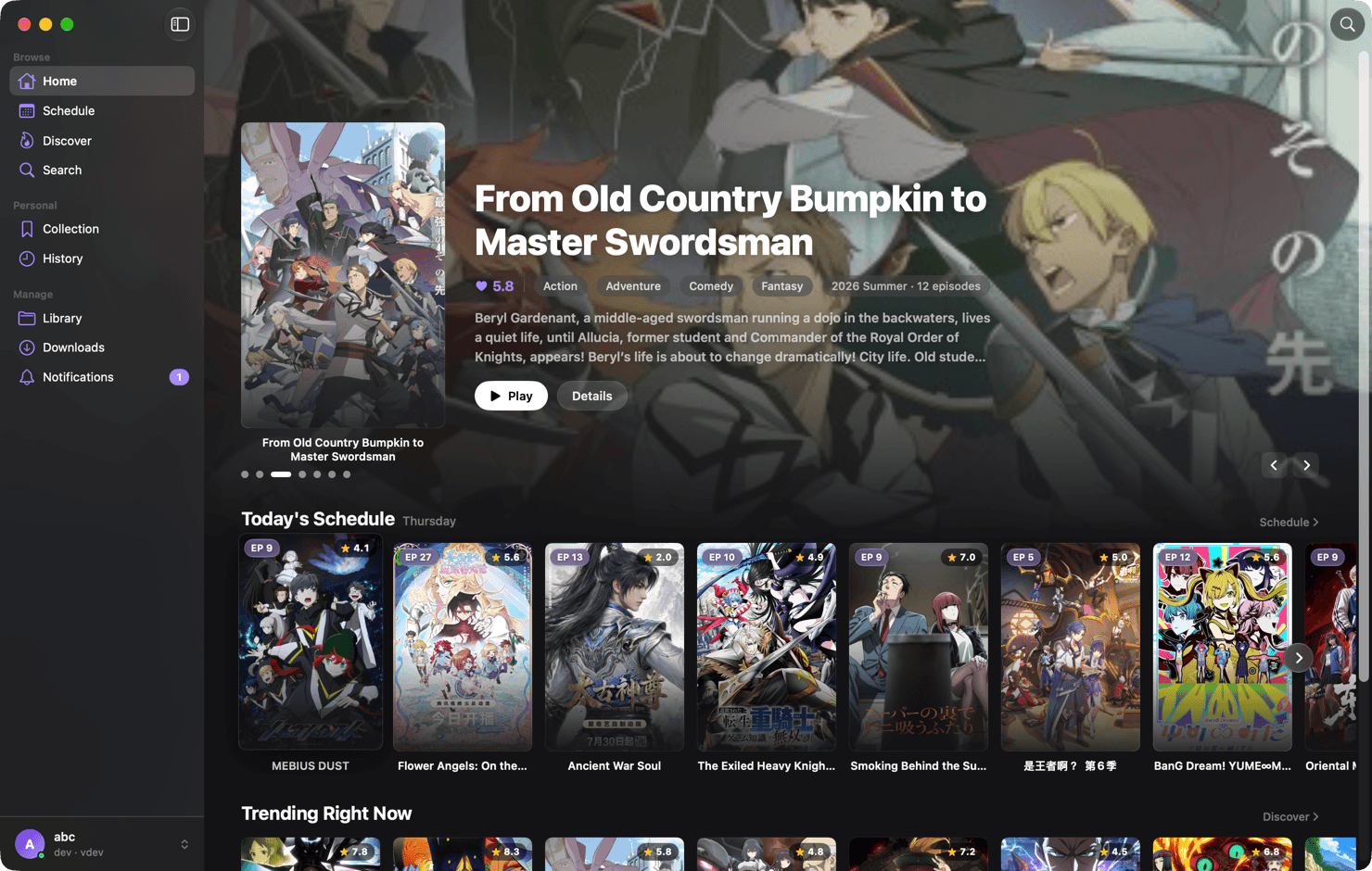
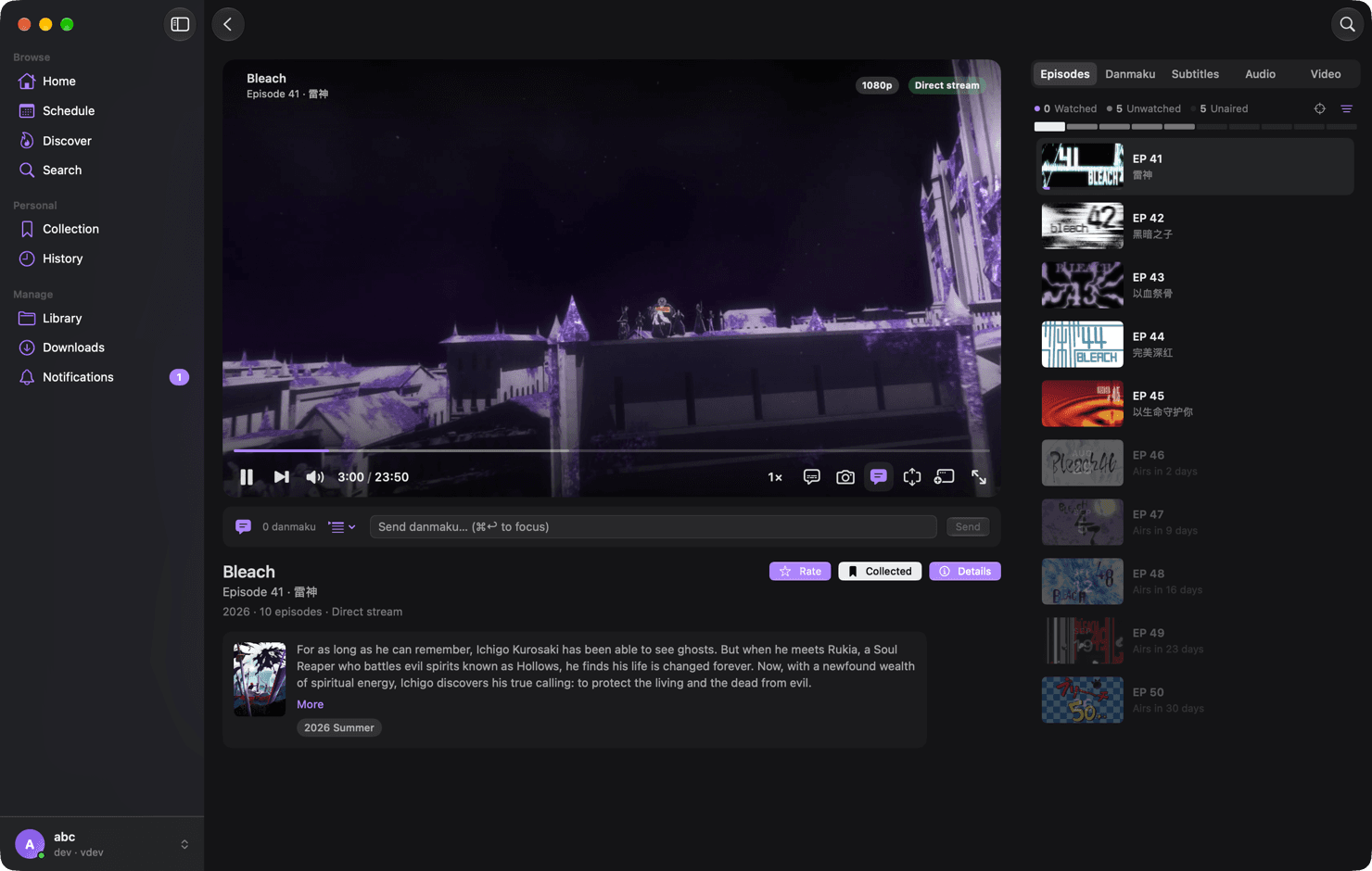
The macOS client is a native SwiftUI app with an mpv-based player, Core Animation danmaku, and offline downloads. It talks to the same /api/v1 the web app uses, so it needs a milmil server already running — see Installation if you don't have one yet.
Requirements
| macOS | 15 (Sequoia) or later |
| Chip | Apple Silicon only — no Intel build |
| Server | A reachable milmil server, any version from 0.1.20 |
The app is ad-hoc signed and not notarized — there is no Apple Developer account behind the project yet. macOS will block the first launch. Both install methods below tell you how to get past it, and neither is a workaround you have to repeat.
Install
brew install --cask milmil-dev/milmil/milmilBecause the build is not notarized, macOS quarantines it and the first launch is blocked. Open it once by hand — right-click milmil.app in Applications and choose Open, then Open again in the dialog. On macOS 15 and later the dialog may only offer Done; in that case go to System Settings › Privacy & Security and press Open Anyway.
Or clear the quarantine flag yourself, which is the same thing without the dialogs:
xattr -d com.apple.quarantine /Applications/milmil.appHomebrew's --no-quarantine option was removed in Homebrew 6 — if you have seen it in older instructions, it no longer exists.
Upgrading later is the usual:
brew upgrade --cask milmilConnect to your server
Enter the server address
On first launch the app asks for a server URL. Use the same address you open the web UI with, including the port:
http://192.168.1.10:8080Behind a reverse proxy, use the public URL — a path prefix (https://media.example.com/milmil) is supported.
Sign in
Use your milmil username and password. The app stores an mlml_ API token in the login Keychain, keyed to the server profile; your password is not kept.
Add more servers (optional)
The app holds several server profiles at once and switches between them from the sidebar, so a home server and a remote one can live side by side.
Connecting to a server on your LAN for the first time triggers the macOS 15 local-network permission prompt. Allow it, or the app cannot reach the server.
What the client adds over the web app
| mpv playback | Direct play of formats the browser refuses — 10-bit HEVC, MKV with multiple audio and subtitle tracks, ASS subtitles with full styling |
| Offline downloads | Copy a series onto the Mac and play it with the server unreachable, inside a disk budget you set |
| Anime4K upscaling | Bundled shader presets for upscaling older or low-resolution sources |
| System integration | Spotlight, Shortcuts, menu-bar Now Playing and download progress, milmil:// links, torrent drag-and-drop |
| Skip learning | Learns the intro you skip and offers it on the next episode; per-series playback settings and a sleep timer |
Uninstall
brew uninstall --cask milmilTo remove preferences and caches as well:
brew uninstall --zap --cask milmilUninstalling does not touch anything on the server. Offline copies live under Application Support and go with the app data.